Currency Rate Overrides
The app uses a bundled set of exchange rates to convert between currencies. If the bundled rates are out of date or you want to use a specific rate for planning purposes, you can override them.
Currency overrides are set at Profile → Currency Rate Overrides (or at /currency-overrides).
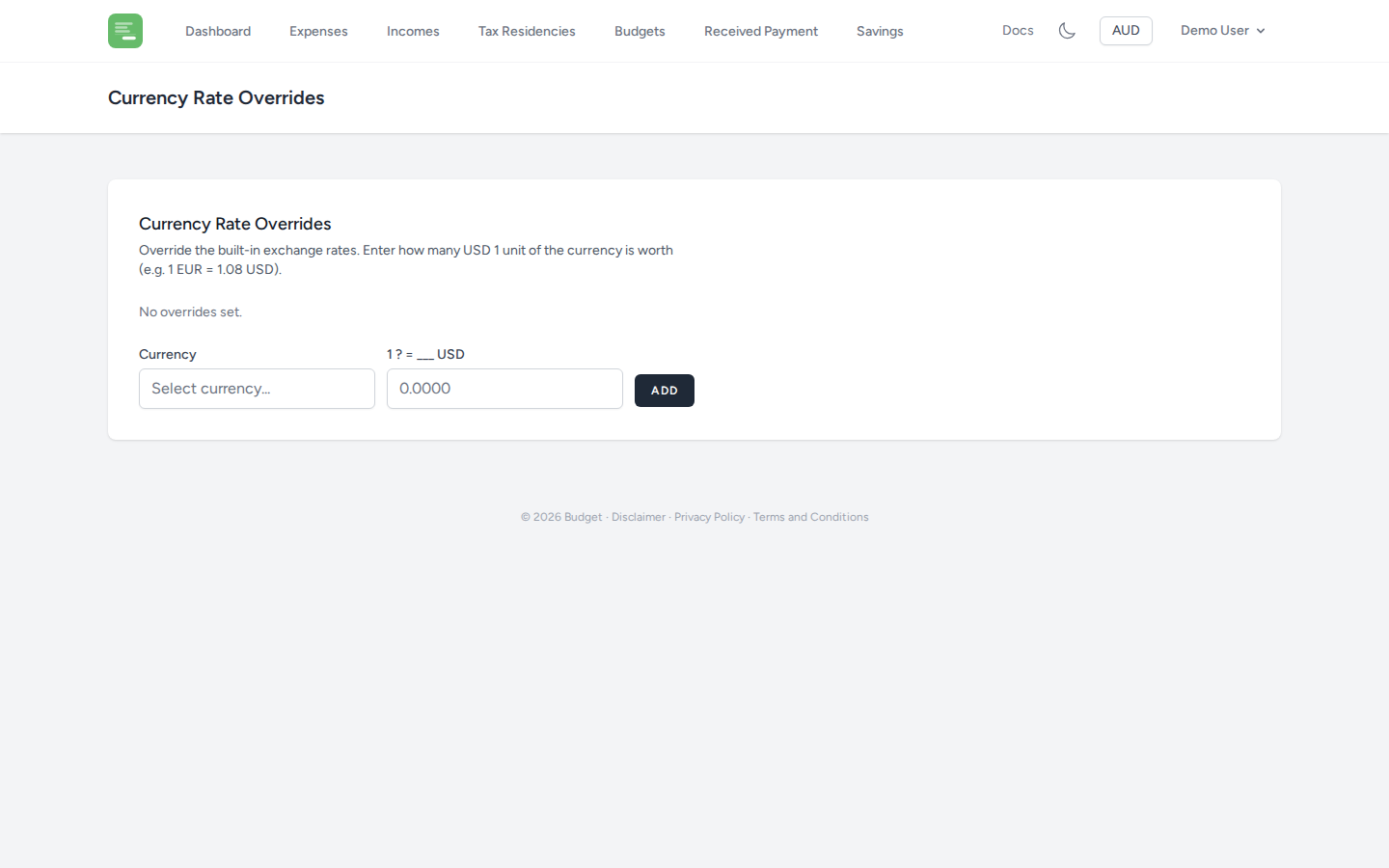
How it works
All exchange rates in the app are expressed in terms of USD — internally, each currency stores how many USD one unit is worth. When you add an override, you specify:
1 [currency code] = [X] USD
For example, if you want to lock in 1 AUD = 0.65 USD, select AUD and enter 0.65.
The system rate (from the bundled data) is shown beneath the input as a reference so you can see what you're overriding.
Adding an override
- Select the currency from the dropdown
- Enter the rate in the format 1 [currency] = ___ USD
- Click Add
The override is saved immediately and applies everywhere in the app — on the dashboard, in expense/income conversions, in the received payment calculator, and in savings plan calculations.
Removing an override
Click Remove next to any override to delete it. The app will revert to the bundled rate for that currency.
When to use overrides
- The bundled rates are updated periodically but may lag behind live market rates
- You're planning with a specific assumed rate (e.g. a conservative or pessimistic scenario)
- You receive income in a currency at a fixed contract rate that differs from the market rate