Savings Plans
Savings plans let you model how much you should be setting aside, using one of six built-in strategies. Each plan belongs to a budget.
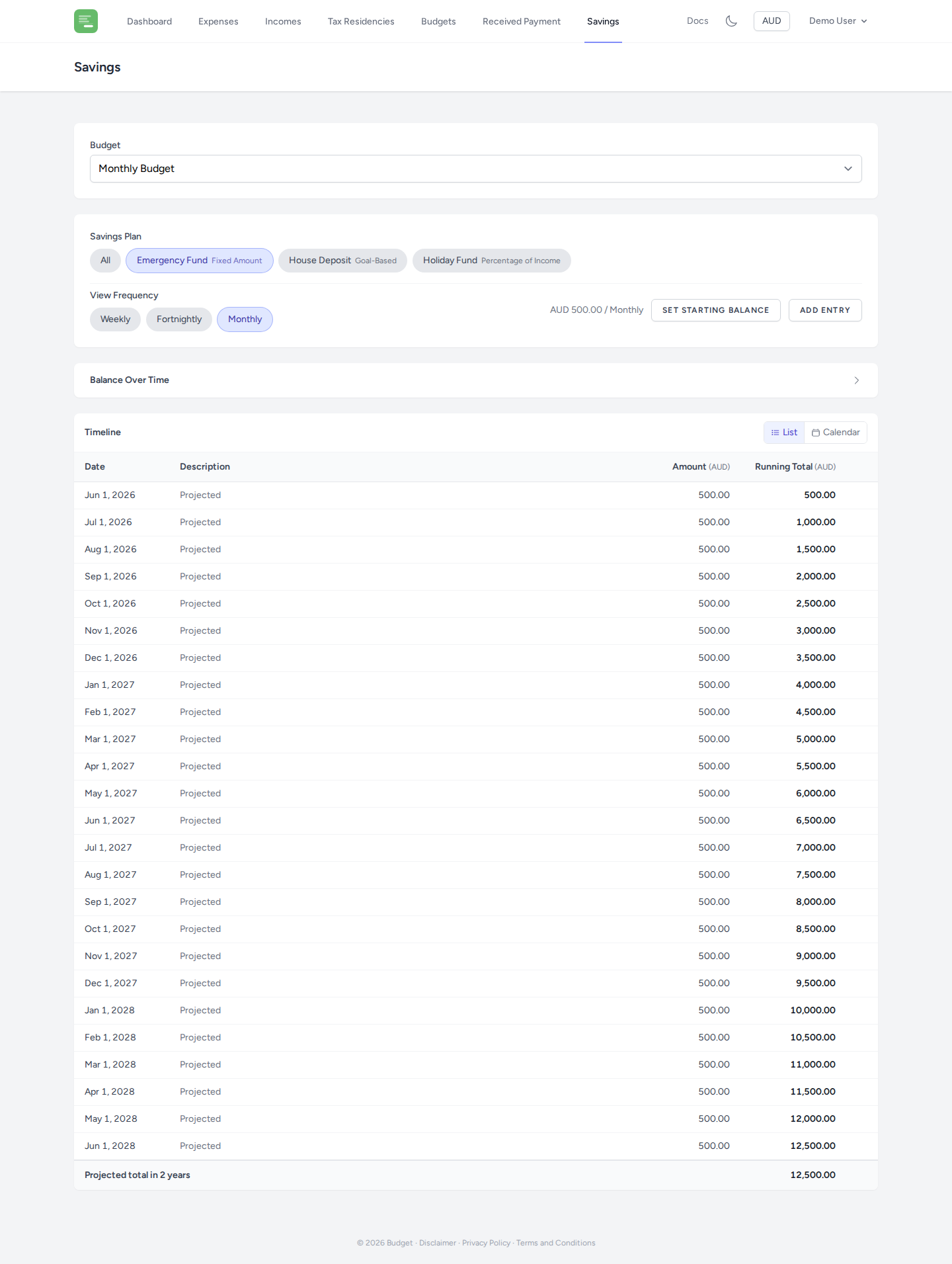
Creating a savings plan
From the Budget detail page, click Add Savings Plan. Choose a name and a strategy.
Savings strategies
Fixed Amount
Save a specific amount at a set frequency. For example: $500/month.
Required fields: Amount, Frequency, Currency
Percentage of Income
Save a percentage of the total income in the budget. The dollar amount automatically adjusts as income changes.
Required fields: Percentage
Percentage of Net
Save a percentage of net income — income minus tax and expenses. Good for "save what's left after obligations" thinking.
Required fields: Percentage
Goal Based
Work backwards from a savings target. Set the target amount and deadline, and the plan calculates the required regular contribution.
Required fields: Target Amount, Target Date, Currency
50/30/20
Allocate your income using the 50/30/20 rule: 50% to needs, 30% to wants, and 20% to savings. The savings figure is 20% of the income in the budget.
No additional fields required.
Residual
Save everything that remains after tax, all expenses, and a configured "pocket money" amount. This strategy is calculated last on the dashboard because its amount depends on all other outgoings.
Required fields: Pocket Money Amount, Frequency, Currency
Savings entries
Once a plan is created, you can record actual savings activity using entries. Open the savings plan from the Savings page.
Entry types
| Type | Description |
|---|---|
| Deposit | Money added to savings |
| Expense | A withdrawal to cover a specific expense |
| Goal | A target amount within the plan (e.g. a holiday fund) |
| Transfer | Move funds between savings plans |
Adding an entry
Click Add Entry and fill in:
- Date — when the entry occurs
- Amount & Currency — the value of the entry
- Note — optional description
- Type — deposit, expense, goal, or transfer
For expense entries, you can link to a specific label or item from your budget.
For goal entries, you can set a priority to control the order goals are funded.
Recurring entries
Toggle Recurring on an entry to mark it as a regular scheduled transaction. Recurring entries help you track expected future deposits or withdrawals on the calendar view.
Viewing entries
Entries can be displayed in List view or Calendar view. Use the view toggle at the top of the savings page.
The calendar view shows entries by month and highlights days with activity. Use the month and year selectors to navigate.
Starting balance
Set a Starting Balance for any savings plan to establish an opening balance from a specific date. This is useful when linking a savings plan to an existing real-world savings account.